During the case
Using Epic
Tip
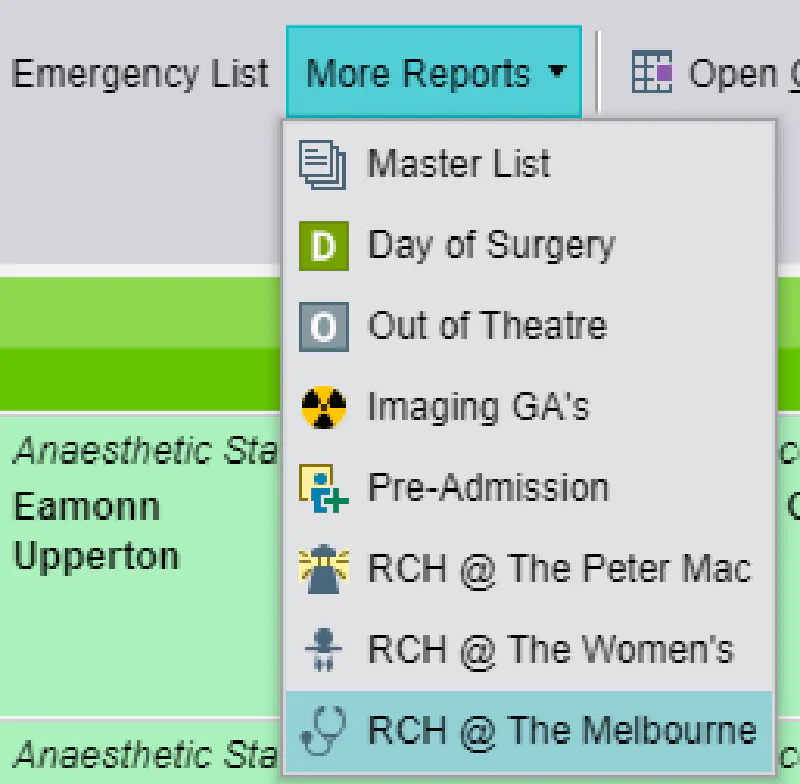
The case should be visible under the ‘RCH @ The Melbourne’ dropdown on the statusboard.
In certain circumstances, the case may not be selectable; see the troubleshooting Epic section for more information.
Requirements for Epic off-site functioning
There are two pre-requisites to ensuring that anaesthesia documentation can proceed on RCH patients at RMH:
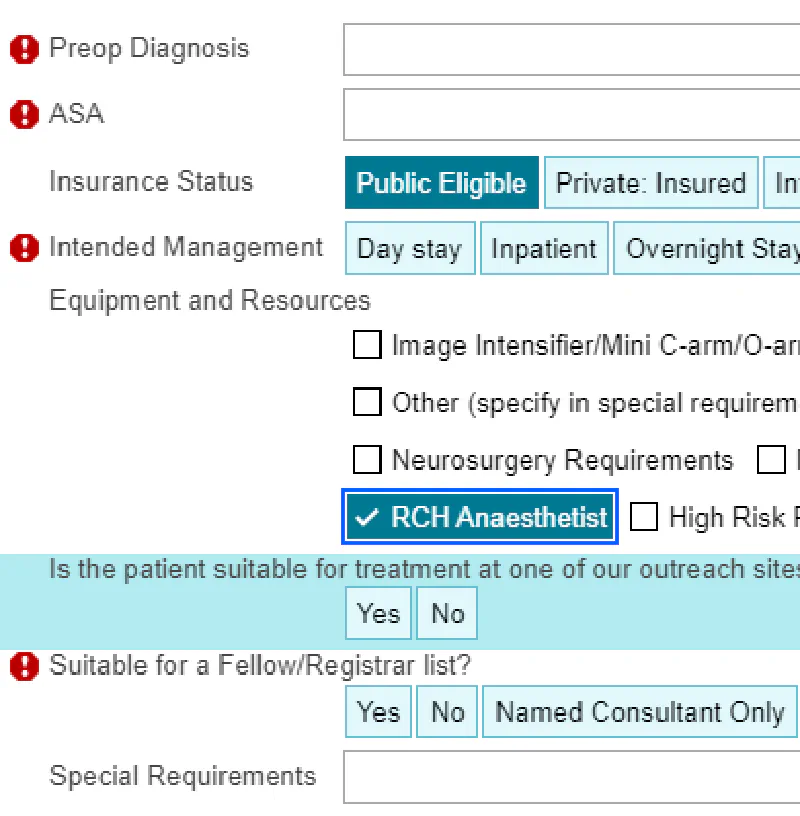
- That the case booking (created by the RMH interventionalist) has the ‘RCH anaesthetist required’ checkbox ticked
- That the RCH administrative staff have placed the patient on day leave
More information
Note
See the Epic section of this documentation for detailed instructions and troubleshooting advice:
Blood products and pathology ordering
Warning
Group and Screen specimens processed at RCH cannot be used at other Parkville sites, and must be re-collected
Transporting blood from RCH
A Code Stroke is a time-sensitive case; it is recommended that blood products not be ordered and brought from RCH as a ‘just-in-case’ measure. Instead, the Royal Melbourne blood bank should be used where possible.
Changing Epic context for ordering
Note
Some RCH anaesthetists may not have access to the Royal Melbourne anaesthesia context. In this case, a clinician from RMH must enter the orders from their login
Assistance in this situation can be sought from the RMH in-charge anaesthetist: 0400-123-456
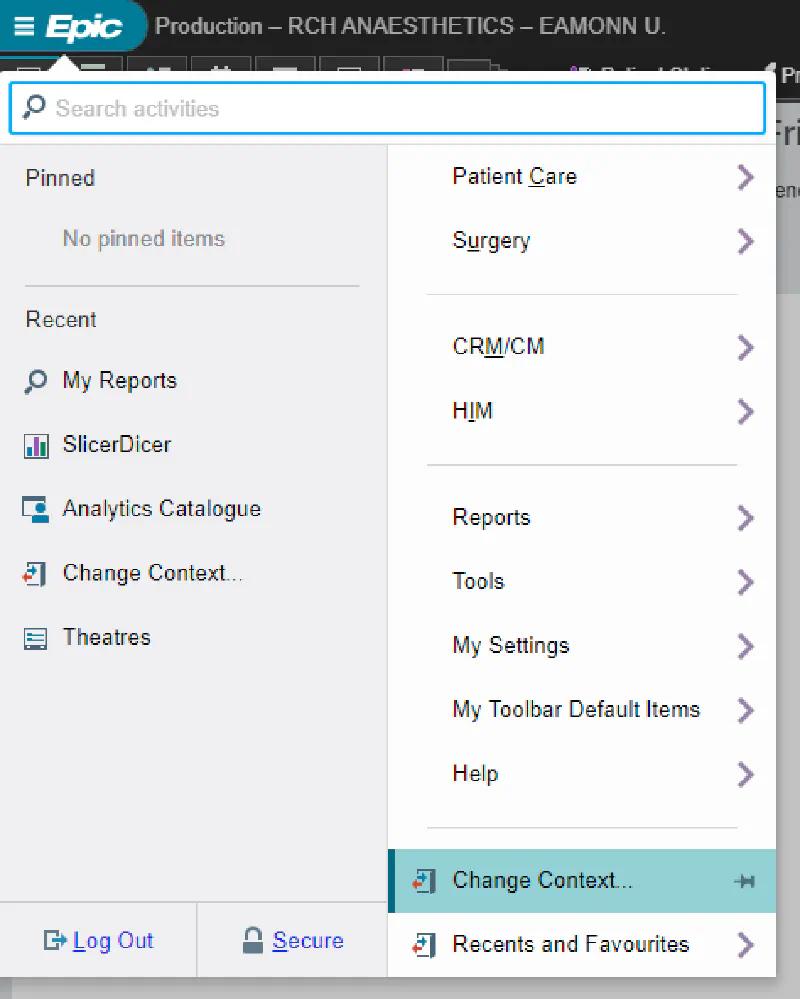
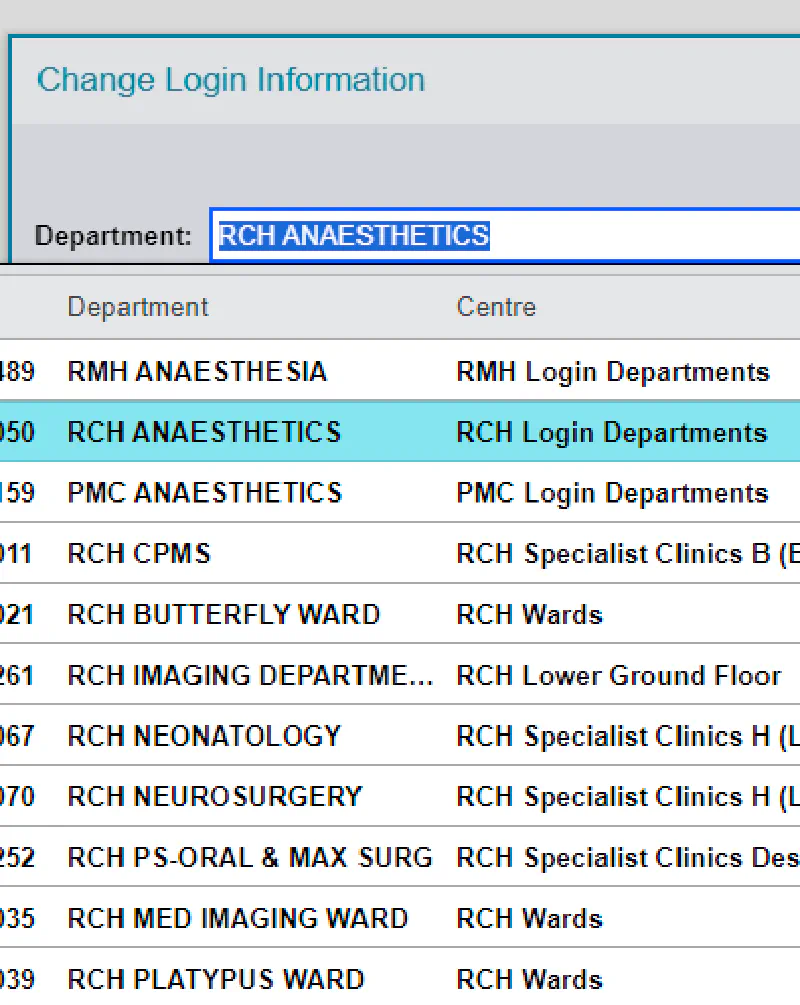
Pathology and blood bank orders must be made in the RMH context so that they will arrive at the correct pathology lab. This can be done as follows:
Note
After ordering what you require, it is advisable to change back to the RCH context so that other aspects of your user interface carry the familiar RCH customisations.
Epic software’s policy on screenshots and communications
The above screenshots comply with Epic software’s policy on “The Use of Screenshots and Video of Certified Applications”.
View the Epic communications rule policy for further information